

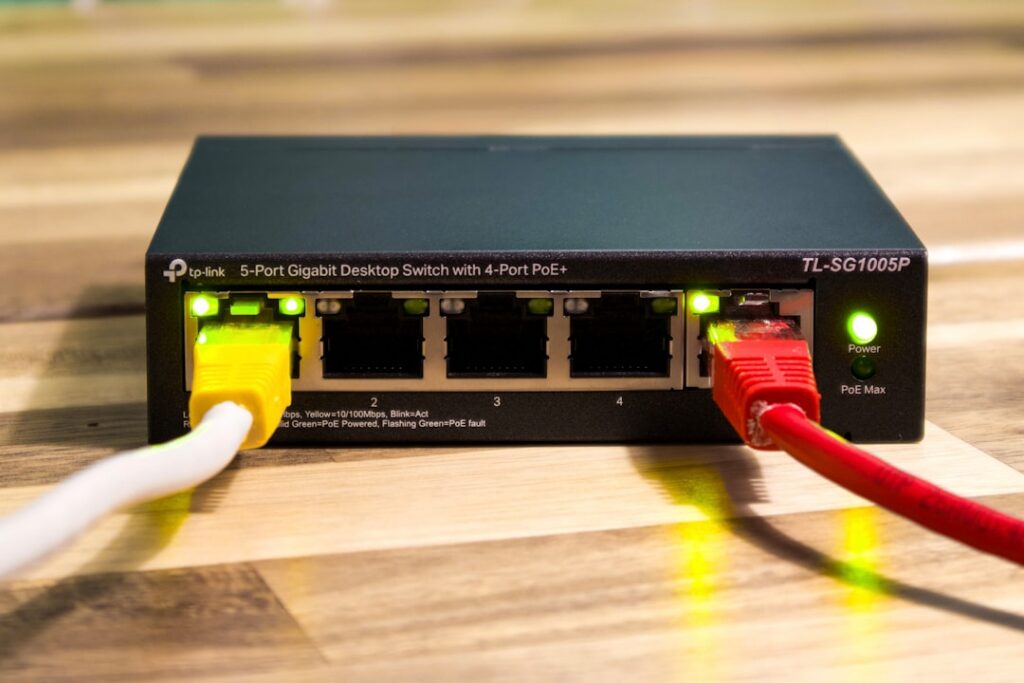
If your Wi-Fi drops mid-Teams call, your work laptop crawls on the same network your kids stream from, or you've just moved into a new house in Mt. Lebanon, Fox Chapel, or Cranberry and the builder's router can't reach the finished basement — you don't need another trip to a big-box store. You need a professional home network setup designed around how you actually work. PGH Networks installs and supports business-grade home networks across the Pittsburgh metro for executives, hybrid employees, and small business owners who run real work over residential internet.
Most consumer router brands assume you'll read a 40-page PDF and troubleshoot your own mesh. That's fine for casual browsing. It's a poor fit when your home is also where you close deals, see patients via telehealth, or handle controlled client data.
Who this home network setup service is for
This service is built for people whose home is part of how their business runs. That includes hybrid and fully remote employees of Pittsburgh-area companies, attorneys and accountants working files after hours, physicians on telehealth, financial advisors handling client portfolios, defense and manufacturing suppliers subject to CMMC, and SMB owners who simply do not want to spend a Saturday on hold with an ISP. We also work with executives relocating to the area who need a turnkey setup before move-in day.
If you've already tried a mesh kit from a retail box and still have dead zones in the home office, or you're running a VoIP phone, security cameras, smart-home gear, and a work laptop on the same flat network — you're the right fit.
A home network that carries your paycheck deserves the same engineering discipline as the office it replaced.

What a professional home network setup includes
Every engagement starts with a short site walk — virtual or in person — to understand square footage, construction (plaster and lath in older Shadyside and Squirrel Hill homes is a real Wi-Fi obstacle), ISP service, and how many work devices, smart devices, and family devices share the connection. From there we design and install:
- Business-grade router and firewall sized to your internet plan, not a $99 consumer box.
- Wi-Fi 6 or Wi-Fi 6E access points placed for actual coverage, including basements, garages, and detached offices.
- A segmented network so work devices, guest traffic, IoT, and kids' gaming consoles each live on their own VLAN — a quiet but important security control.
- Wired drops where it matters: the home office desk, the streaming TV, the gaming rig.
- Secure remote access (VPN or ZTNA) back to the corporate office when required.
- Printer, NAS, and smart-home onboarding so everything actually works after we leave.
- Written documentation: SSIDs, passwords, IP plan, and gear model numbers in one place.
You get a network that looks and behaves like a small branch office, because functionally that's what your home has become.
Why PGH Networks vs. a big-box installer or DIY
TL;DR: A managed services provider configures your home network the same way it configures a regulated business network — segmented, documented, patched, and supportable on day 400, not just day one.
Retail installers will mount the gear and leave. DIY mesh kits will get you 80% of the way and quietly leak the other 20% in dropped calls and slow VPN sessions. We're a Pittsburgh-based MSP, which means the technician at your kitchen table uses the same tooling, change-control habits, and security baselines we apply to law firms, medical practices, and manufacturers across Allegheny, Butler, Washington, and Westmoreland counties.
Three things change when an MSP handles your home network setup: the gear is chosen to be supportable and patched for years, the configuration is documented so the next person who touches it isn't guessing, and there is an actual phone number to call when something breaks at 7 a.m. before a client meeting.
Compliance and security for work-from-home roles
If you handle PHI, CJIS data, CUI under CMMC, or non-public financial information from your house, the network under your desk is in scope. A flat Wi-Fi network shared with a smart fridge and a teenager's Xbox is not a defensible posture in an audit or after an incident.
Our home network builds for regulated roles include network segmentation, DNS filtering, endpoint-aware firewall rules, logging, and — where the employer requires it — a site-to-site or always-on VPN tunnel back to corporate. We coordinate directly with your company's IT or security team so the home setup matches their policy rather than fighting it. For self-employed professionals, we map the build to the framework you're accountable to (HIPAA, PCI, SEC, FTC Safeguards) and give you the documentation you'd want if asked.
Schedule your home network assessment
PGH Networks serves residential work-from-home installs within roughly 75 miles of 15220 — the City of Pittsburgh, the North Hills, South Hills, Monroeville, Cranberry, Washington, Greensburg, and surrounding communities. Most home network setup projects are scoped in a 20-minute call and completed in a single on-site visit, with optional ongoing monitoring and support afterward.
Call us or request a home network setup assessment through the contact form, and we'll come back with a fixed-scope proposal and a date.