
Microsoft Blames the Latest M365 Outage on a Maintenance Bug

If your team spent Thursday staring at spinning Outlook icons or failed Teams calls, you were not alone, and it was not your network. Microsoft has now pinned the widespread Microsoft 365 and Azure disruption on a bug inside its own automation.
What happened
According to reporting from bleepingcomputer.com, Microsoft's root-cause analysis blames a flaw in the automated system that handles network maintenance requests. The bug caused IP routes to be pulled from far more devices than the change was scoped to touch, which cascaded into broad reachability problems across Azure and Microsoft 365.
The practical result for tenants was the familiar pattern: authentication timeouts, Exchange Online delays, Teams degradation, and admin center errors that made it hard to even confirm what was broken. Microsoft's public post-incident review is where the detailed timeline and remediation commitments will live, and we recommend clients read the final PIR in the Microsoft 365 admin center rather than relying on secondhand summaries.

Why this matters for Pittsburgh SMBs
For a 40-person CPA firm in the Strip, a manufacturer in Cranberry, or a specialty clinic in Monroeville, "Microsoft is down" is not an abstract headline. It is billable hours lost, EHR notes that cannot be filed, and clients who cannot reach you because your phone system rides on Teams. Small and mid-sized businesses feel these outages harder than enterprises because you rarely have a hot standby for email or a second identity provider sitting idle.
A few industry-specific angles worth thinking about:
- Legal and accounting: court filing deadlines and tax deadlines do not pause for a cloud provider. Document your outage timeline in case you need to request an extension.
- Healthcare: if your practice lost access to ePHI stored in Microsoft 365 or SharePoint, your HIPAA contingency plan should have kicked in. If it did not, that is a finding.
- Defense contractors: an outage is not a CMMC incident on its own, but availability is a control family, and your SSP should describe how you handle a prolonged M365 disruption of CUI-adjacent systems.
- Financial services: FTC Safeguards expects a documented response to disruptions of customer-information systems, including third-party ones.
The uncomfortable truth is that no MSP, and no customer, can prevent a Microsoft-side automation bug. What we can control is how quickly you know it is happening, how gracefully your business keeps operating, and how honestly you communicate with clients while it plays out.
What to do about it this week
You do not need a six-figure project to be better prepared than you were on Thursday. Start here:
- Confirm independent status monitoring. Do not rely solely on the Microsoft 365 admin center, which itself was affected. Subscribe to a third-party status aggregator and route alerts to a channel that does not depend on Teams or Exchange, such as SMS or a Slack workspace on a separate identity.
- Pressure-test your out-of-band communications. Every employee should know exactly where to look and how to reach clients if email and Teams are dark. A one-page "when M365 is down" runbook, printed and pinned, still beats a wiki nobody can load.
- Review your resilience posture for identity. Entra ID outages are the worst kind because they lock you out of everything else. Verify you have break-glass accounts with strong, offline-stored credentials, and that at least one admin can authenticate without conditional-access dependencies that might fail with the tenant.
- Check backup coverage of M365 data. Microsoft's SLA covers service availability, not your data. Ensure Exchange, SharePoint, OneDrive, and Teams are backed up to an independent platform with tested restores. Ask your provider when the last full restore test was performed and what the RTO actually was.
- Update your written incident and business-continuity plans. Regulators under HIPAA, SOC 2, and FTC Safeguards increasingly want to see that "cloud provider outage" is a scenario you have specifically rehearsed. Add Thursday's event as a tabletop exercise in the next 30 days.
- Document the business impact from this outage now, while it is fresh: who could not work, for how long, and what revenue or SLA impact occurred. This feeds insurance conversations, board reporting, and your next technology roadmap review.
- Revisit your patch and change hygiene. The lesson from Microsoft's own RCA is that automation without adequate blast-radius controls is dangerous. Ask your MSP how staged rollouts, change approvals, and patch management are governed on your endpoints and servers, and whether the same discipline applies to identity and network changes.

How PGH Networks helps
We run cybersecurity, compliance, and cloud operations for small and mid-sized Pittsburgh businesses every day, which means we were on the bridge with clients during Thursday's outage and we are already updating runbooks based on Microsoft's RCA. Whether you need a vCIO to walk your leadership team through resilience trade-offs, a fresh look at M365 backup and identity hardening, or help translating this incident into your HIPAA, SOC 2, or CMMC documentation, we can help you get from "we survived it" to "we are ready for the next one."
Talk to us
Call us at 724.888.7007 or reach out through the contact form and we will schedule a 30-minute resilience review for your Microsoft 365 environment.
Related reading
Warlock Ransomware and the SharePoint Server Risk for SMBs
Warlock is exploiting SharePoint flaws to kill security tools and deploy ransomware. What Pittsburgh SMBs running SharePoint Server should check this week.
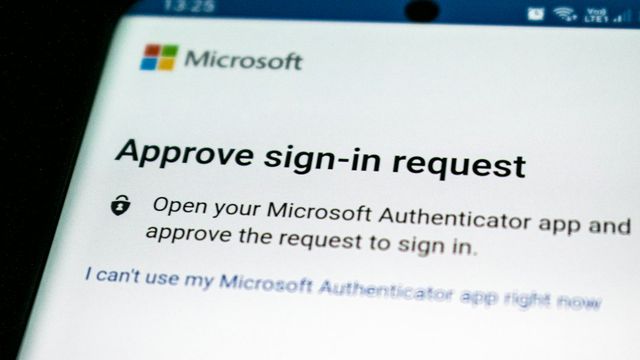
Executive Phishing Is Stealing Microsoft 365 Sessions
A US-focused phishing campaign steals Microsoft 365 sessions and installs remote-access tools. What Pittsburgh SMBs should verify and fix this week.

CISA Flags Exploited SharePoint and MikroTik Flaws
CISA added actively exploited Microsoft SharePoint and MikroTik RouterOS flaws to its KEV catalog. What Pittsburgh SMBs should verify and patch this week.