
Kali365 Device-Code Phishing: What M365 Tenants Should Do Now

What happened
A newly documented phishing kit called Kali365 is abusing Microsoft's own login flow to hijack Microsoft 365 accounts at US companies. Rather than harvesting passwords on a fake page, the attackers trigger a device-code authentication request, then trick a target into approving that code on Microsoft's real sign-in page. Once the user completes what looks like a normal login, Microsoft issues legitimate access and refresh tokens to the attacker's device — no password, no MFA prompt on a spoofed site, no obvious red flag.
The reporting comes from The Hacker News via feeds.feedburner.com: Kali365 Weaponizes Microsoft Authentication Against US Companies. Once those tokens are in hand, attackers can quietly read email, pull files from OneDrive and SharePoint, and pivot into other cloud resources, opening the door to wire-fraud, data theft, and follow-on extortion. Specific indicators of compromise, distribution channels, and the exact tenant-side telemetry defenders should hunt on are details worth verifying directly with Microsoft and your security tooling rather than assuming from headlines.
Why this matters for Pittsburgh SMBs
Device-code phishing is not new in concept, but Kali365 productizes it — meaning the barrier to run this attack against a 40-person CPA firm in the South Hills or a 120-person manufacturer in the Strip is now very low. And it lands squarely on the stack this audience actually runs. Nearly every professional services, legal, healthcare, and defense-contracting shop we work with in Western PA is on Microsoft 365 with Entra ID, Teams, and SharePoint at the center of daily work. That is exactly what this kit is built to loot.
A few reasons this particular technique should get your attention:
- MFA alone will not save you. The user is completing MFA on the real Microsoft page. The token that comes out the other end is valid. Traditional "we turned on MFA" hygiene is not a control against this.
- Refresh tokens mean persistence. Even after a password reset, a stolen refresh token can keep working until it is explicitly revoked and Conditional Access is re-evaluated.
- Regulated data is one mailbox away. For firms under HIPAA, SOC 2, the FTC Safeguards Rule, or working toward CMMC Level 2, a silent mailbox takeover is a reportable incident — not just an IT headache. For DoD suppliers handling CUI, this is exactly the token-theft scenario DFARS 7012 and NIST SP 800-171 controls are meant to constrain.
- Wire fraud season is year-round. Legal and accounting practices in Pittsburgh have been hit repeatedly with vendor-impersonation and trust-account fraud that begins with a quiet inbox foothold. Device-code theft is a cleaner on-ramp for that same crime.
What to do this week
You don't need a new tool for most of this. You need someone to actually turn the dials. Here is a practical checklist you can start on Monday:
- Block or tightly scope device-code flow in Entra ID. In Conditional Access, create a policy that blocks the
deviceCodeFlowandauthenticationTransfergrant controls for users and locations that don't need them (which is almost everyone). If a specific team relies on it for shared kiosks or headless devices, scope it to that group only. - Hunt the last 30–60 days of sign-in logs. Filter Entra sign-in logs for authentication protocol = "Device Code." Anything unexpected — especially sign-ins from unfamiliar IPs, ASNs, or countries — gets treated as a suspected token theft: revoke sessions, rotate credentials, and review mailbox rules.
- Shorten token lifetimes and require reauth for risky sessions. Turn on Continuous Access Evaluation, and use sign-in risk and user risk policies to force reauthentication rather than trusting a token indefinitely.
- Kill auto-forwarding and audit inbox rules. External auto-forward should be off tenant-wide. Then look for the classic attacker tells: rules named " ", ".", or "a" that move messages to RSS Feeds or Archive.
- Get real endpoint and identity detection in place. If you are still relying on built-in antivirus, this is the quarter to move to a managed EDR/MDR service with 24x7 eyes and identity-layer detections, not just endpoint ones.
- Run a five-minute user briefing. Tell staff plainly: "Microsoft will never ask you to type a code from a chat, email, or phone call into login.microsoftonline.com. If someone asks you to, it's an attack. Report it." That single sentence stops most device-code lures.
- Verify your incident response playbook covers token revocation. A password reset is not enough. Your runbook should include revoking refresh tokens, invalidating sessions, and reviewing OAuth app consents granted by the affected user.
For firms pursuing CMMC or maintaining SOC 2 and HIPAA programs, document each of these as evidence — auditors are increasingly asking specifically about token theft and Conditional Access posture.
How we help
PGH Networks runs managed IT and security operations for SMBs across Pittsburgh with exactly this kind of threat in mind. We tune Entra ID and Conditional Access, hunt sign-in logs, deploy MDR, and — through our vCIO practice — build the compliance evidence trail your regulator or prime contractor will ask for. If you're not sure whether device-code flow is open in your tenant right now, that's a 30-minute answer, and we're happy to give it to you.
Talk to us
Call 724.888.7007 or reach out through the contact form and we'll take a look at your Microsoft 365 tenant this week.
Related reading

Warlock Ransomware and the SharePoint Server Risk for SMBs
Warlock is exploiting SharePoint flaws to kill security tools and deploy ransomware. What Pittsburgh SMBs running SharePoint Server should check this week.
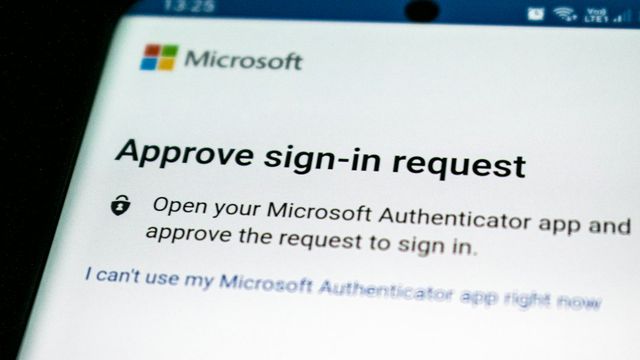
Executive Phishing Is Stealing Microsoft 365 Sessions
A US-focused phishing campaign steals Microsoft 365 sessions and installs remote-access tools. What Pittsburgh SMBs should verify and fix this week.

CISA Flags Exploited SharePoint and MikroTik Flaws
CISA added actively exploited Microsoft SharePoint and MikroTik RouterOS flaws to its KEV catalog. What Pittsburgh SMBs should verify and patch this week.