
IT Support in Aliquippa: A 5-Step Onboarding Process

If your team in Aliquippa is stuck waiting on tickets, chasing password resets, or wondering whether last night's backup actually ran, you don't need another sales pitch. You need a predictable process that gets your environment stable, secure, and documented, then keeps it that way. That is exactly what IT support in Aliquippa should look like when it is done right, and the five steps below are how we run every new engagement at PGH Networks, from Beaver County manufacturers on Route 51 to professional services firms working out of Sheffield Terrace and downtown offices near Franklin Avenue.
This is a process page, not a brochure. Each step below explains what happens, who does it, and what you get at the end.
Good IT support is not measured by how fast tickets close, but by how few tickets your team needs to open next quarter.
Step 1: Discovery and risk assessment
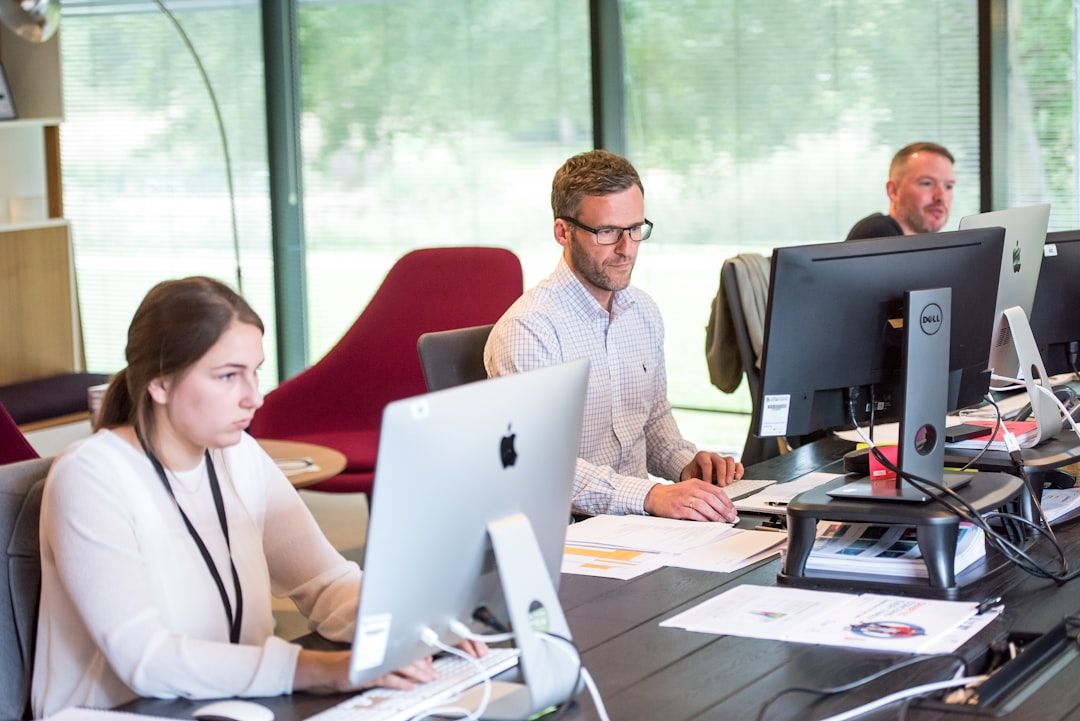
Before we touch a single switch, we spend time inside your business. That means a walk-through of your Aliquippa office, an inventory of every server, firewall, workstation, and SaaS tenant, and interviews with the people who actually use the systems. We benchmark what we find against a standard control set (NIST CSF for general businesses, HIPAA for medical and dental practices, and CMMC Level 2 or DFARS 7012 for defense suppliers along the Ohio River corridor). You get a written report ranking risks by likelihood and business impact, not a 90-page PDF nobody reads.
- Asset and license inventory
- Microsoft 365 and identity configuration review
- Backup and disaster-recovery test
- Network, firewall, and Wi-Fi audit
- Compliance gap analysis where relevant
Step 2: Stabilize security and backups
TL;DR: Before we optimize anything, we make sure a ransomware event or a failed drive cannot take your Aliquippa business offline for a week.
Most environments we inherit have the same three problems: MFA is inconsistent, endpoint protection is the free tier that shipped with the laptop, and backups have never been restored. Step two closes those gaps. We deploy managed EDR and MDR across every endpoint, enforce conditional access and MFA in Microsoft 365, turn on immutable backups for servers and cloud data, and run a live restore test so you can watch it work. If you handle CUI, PHI, or cardholder data, this is also where we align technical controls with the framework that applies to you.
We will not move a client into steady-state support until a full restore has been demonstrated end-to-end.
Step 3: Stand up managed IT and the help desk
With the environment stabilized, we cut you over to full managed IT: 24/7 monitoring through our RMM, automated patch management for Windows and third-party apps, and a Pittsburgh-based help desk your users can reach by phone, email, or Teams. Response-time SLAs are written into the agreement, not buried in a portal. Because our technicians live in the metro, on-site visits to Aliquippa, Center Township, Hopewell, and Monaca happen the same day when hands-on work is needed, not the next business week.
- Named account manager and technical lead
- Documented runbooks in your tenant, not locked in ours
- Monthly reporting on tickets, patch compliance, and security posture
Step 4: Build the roadmap with a vCIO
Steady-state support keeps the lights on. A vCIO keeps you ahead of the business. Every quarter we sit down with ownership or the leadership team to review what broke, what is aging out, what the budget looks like for the next twelve months, and where technology can remove friction from the operation. This is where IT stops being a cost center that reacts and starts being an IT strategy tied to revenue, headcount, and the specific realities of running a company in the Pittsburgh region, from PA CDL logistics rules to Allegheny County commercial leases.
Step 5: Turn on AI readiness
This is where our practice differs from most providers offering IT support in Aliquippa. Once the foundation is solid, we help you actually use the AI tools you are already paying for, and build the ones you are not. That starts with a Copilot readiness assessment, an acceptable-use policy, and Microsoft Purview labeling so sensitive data does not leak into prompts. From there, our AI advisory team identifies two or three high-value use cases, and our engineers build them, whether that means document automation for quoting and intake, or a custom AI application sitting on top of Azure OpenAI and your own data.
- Copilot licensing and governance review
- Data classification with Microsoft Purview
- Two to three prioritized workflow automations per year
- Staff training on safe, effective prompt use
Next steps
If you want a second opinion on your current provider, or you are hiring an MSP for the first time, the first step is a 30-minute call. We will ask about the business, the pain, and the timeline, and if it looks like a fit, we will schedule the Step 1 discovery on-site in Aliquippa.
Call 724.888.7007 or send a note through the contact form and we will get back to you the same business day.
Related reading
September Windows Server Updates Are Breaking Remote Desktop
September 2026 Windows Server updates are reportedly breaking Remote Desktop Services on 2019, 2022 and 2025. Here is what Pittsburgh SMBs should verify now.

22,000 Exchange Servers Still Exposed: What Pittsburgh SMBs Should Do
Nearly 22,000 unpatched Exchange servers face a mailbox-hijacking auth bypass. What Pittsburgh SMBs running hybrid Exchange should check and fix this week.

IT Support for CPA and Accounting Firms in Pittsburgh
How a Pittsburgh CPA firm hardened Lacerte, UltraTax CS, and CCH ProSystem fx for GLBA and IRS Publication 4557, with 24/7 tax-season support from PGH Networks.