
Cybersecurity Best Practices for Employees

If a single employee clicks the wrong link on a Tuesday morning in your Robinson Township office, the next 72 hours of your business can look very different. That is the uncomfortable truth behind every ransomware headline, every wire-fraud loss, and every insurance claim denial we see across the Pittsburgh metro. This guide lays out the cybersecurity best practices for employees that actually reduce that risk, written for the owners and operators of small and mid-market businesses who do not have time for theory.
We will skip the generic "use a strong password" checklist you have already read. Instead, we will focus on the handful of behaviors that stop the attacks currently hitting SMBs in Allegheny, Washington, Butler, and Westmoreland counties, and on how to make those behaviors stick without turning security into a productivity tax.
Who This Guide Is For
This page is written for the person at a 20-to-500 employee company who is quietly responsible for "the computer stuff not blowing up." That might be an operations manager in Cranberry, a controller in Green Tree, a practice administrator at a Monroeville medical group, or a plant manager at a defense supplier in Washington County working through CMMC Level 2 requirements. If your staff handles patient records, client funds, controlled unclassified information, or simply an inbox that vendors and customers email daily, the practices below apply.
The Cybersecurity Best Practices for Employees That Actually Move Risk
Most breaches at SMBs do not begin with a sophisticated zero-day. They begin with a person. That means the cybersecurity best practices for employees worth teaching are the ones aligned to how attackers actually operate today.
Treat every unexpected message as guilty until verified. Phishing has moved past broken English and Nigerian princes. Today's lures are short, contextual, and often reference a real project, vendor, or executive by name because the attacker scraped LinkedIn. Employees should verify any request involving money, credentials, or file access through a second channel, ideally a phone call to a known number, before acting.
Use a password manager, and stop reusing passwords across systems. Credential stuffing works because people recycle the same password across their bank, their CRM, and a hobby forum that got breached in 2019. A managed password vault ends that entire attack class.
Turn on multi-factor authentication everywhere, and use an app or hardware key, not SMS. Text-message codes can be intercepted through SIM-swap attacks; an authenticator app or FIDO2 key cannot.
Report fast, without fear. The single biggest predictor of a mild incident versus a catastrophic one is how quickly an employee tells someone. Staff should know exactly who to contact and should never be punished for reporting a click. A 20-minute head start on isolating a laptop can be the difference between a nuisance and a wire transfer.
The organizations that recover cleanly are not the ones whose employees never make mistakes; they are the ones whose employees report mistakes within minutes.
Lock devices, patch promptly, and stay off public Wi-Fi without a VPN. These sound basic, but our managed IT team still finds unpatched laptops connecting from hotel networks in nearly every new-client assessment.
AI Tools and Shadow IT: The New Employee Risk
Here is the shift most awareness training has not caught up to. Your staff are pasting contracts, patient notes, source code, and board minutes into free AI chatbots on personal accounts. They are not being malicious; they are trying to get their jobs done faster. But every one of those pastes is a potential data-loss event, and in regulated environments it can be a reportable one.
TL;DR: The fastest-growing employee cyber risk in 2026 is not phishing, it is unsanctioned AI tools quietly ingesting your confidential data.
The fix is not "ban AI." That policy fails within a quarter. The fix is to give employees a sanctioned path, typically Microsoft 365 Copilot or an internal custom AI application running against your own tenant, and pair it with a written acceptable-use policy that names which data classes can go where. Our AI advisory engagements almost always start here, because you cannot secure employee AI behavior you have not defined. When there is a real, fast, approved tool on the desktop, shadow usage drops sharply.
What a Program Looks Like When PGH Networks Runs It
Training slides once a year do not change behavior. A working program combines short monthly micro-trainings, realistic simulated phishing tied to your actual vendors and workflows, EDR on every endpoint so a click does not become a breach, conditional-access policies in Microsoft 365, and a written incident-response runbook your staff has actually rehearsed.
For regulated clients, we layer this into the framework you already have to meet, whether that is HIPAA, NIST, or SOC 2, so awareness training produces the evidence auditors ask for rather than a separate parallel workstream.

Why Pittsburgh Businesses Work With Us
We are local. When a controller in Southpointe gets a suspicious wire request at 4:45 on a Friday, they call a Pittsburgh number and reach someone who knows their environment. We support clients within roughly 75 miles of 15220, from Beaver County manufacturers to Oakland-based healthcare practices to defense-adjacent shops navigating DFARS 7012 and CUI handling. Our team pairs a hands-on security practice with a growing AI-workflows practice, which matters because those two disciplines are converging fast, and treating them separately is how organizations end up with well-secured legacy systems and wide-open AI usage.
A short vCIO engagement is often the cleanest way to see where your employee-facing risks actually sit and to build a 12-month roadmap you can defend to your board or your insurer.
Next Step
If you want a specific, prioritized plan for reducing employee-driven cyber risk at your Pittsburgh-area business, we would rather have a 20-minute conversation than send you a brochure. Call 724.888.7007 or reach us through the contact form and we will schedule a working session with an engineer, not a salesperson.
Related reading
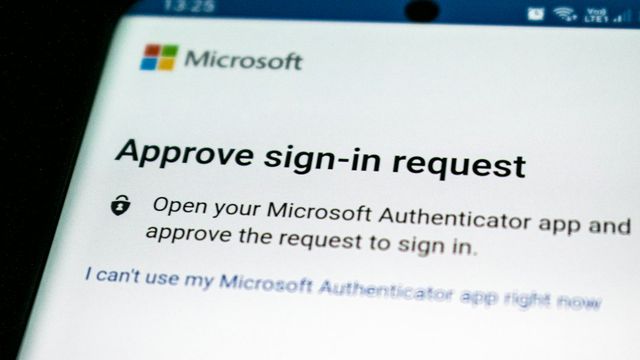
MFA Alone Won't Stop This Microsoft Phishing Technique
A China-linked group is using Microsoft adversary-in-the-middle phishing to bypass MFA. What Pittsburgh SMBs in legal, CPA and defense work should do now.
Phishing Emails Are Installing Remote Access Tools on SMB PCs
Microsoft warns of phishing that installs legitimate RMM tools to gain remote access. What Pittsburgh SMBs should lock down this week, a practical checklist.
Ransomware Gangs Are Now Exploiting Critical VMware vCenter Flaw
CISA says ransomware crews are exploiting a critical VMware vCenter RCE bug. What Pittsburgh SMBs running on-prem VMware should verify and patch this week.